Overview
Gratis Translate makes a site multilingual without a paid plugin. It registers a Languages taxonomy, lets you assign a language to each post or page and link translations together, adds a language-switcher shortcode, and outputs hreflang tags so search engines understand which page serves which language. English, Lithuanian, Spanish, French and German are seeded as languages on first run.
Managing languages and translations
- Languages live under the Languages taxonomy; add or rename them like any term (each needs a slug such as
enorlt). - On any post or page, use the Translation meta box to set its Language and, for a translated copy, the numeric ID of the original post it is a Translation of.
Opening the settings screen
- In the admin sidebar, hover Settings and click Translate (URL:
/wp-admin/options-general.php?page=gratis-translate-settings). The same screen is also linked under the Languages menu. - Adjust the options, then click Save settings.
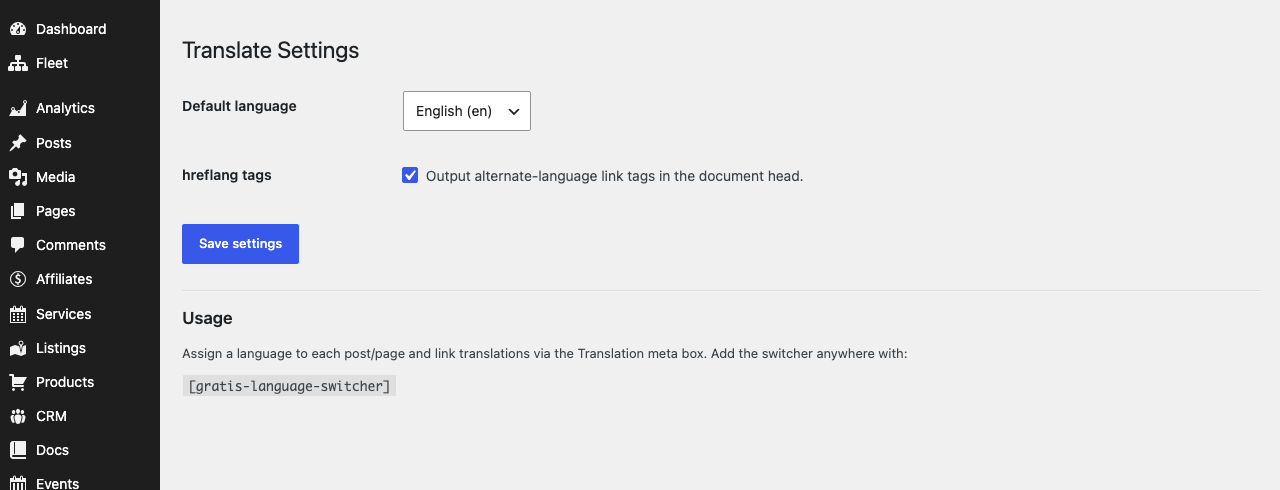
Settings
- Default language — the site’s primary language, chosen from your registered languages (default
en). It is used as the baseline when grouping a post with its translations. - hreflang tags — output
<link rel="alternate" hreflang>tags in the document head for each linked translation, helping search engines serve the right language version. On by default.
Translating content
- Create the original post and set its Language in the Translation meta box (leave Translation of at
0). - Create the translated post, set its own Language, and enter the original post’s ID in Translation of to link them.
- Repeat for each language; linked posts then appear together in the switcher and in the
hreflangoutput.
Language switcher shortcode
- Switcher —
prints links to the current post’s available translations and marks the current language. Place it in a widget area, menu or template where visitors can reach it.
Recommended starting point
- Set your Default language and remove any seeded languages you will not use from the Languages screen.
- Assign a Language to existing content, then add translations and link them with Translation of.
- Leave hreflang tags on and add
where visitors can switch languages.