Overview
Gratis AI is the shared AI layer for the Gratis suite. It lets you bring your own model (any OpenAI-compatible endpoint such as OpenAI, Ollama, LM Studio, or vLLM), or store keys for free hosted providers, and routes other Gratis plugins’ AI features through whichever provider is available. API keys are encrypted at rest, and the plugin also exposes an MCP server so external tools can call your site’s AI endpoints.
Opening the settings screen
- In the WordPress admin sidebar, hover Settings.
- Click Gratis AI (URL:
/wp-admin/options-general.php?page=gratis-ai). - Fill in the provider details below, then click Save Changes.
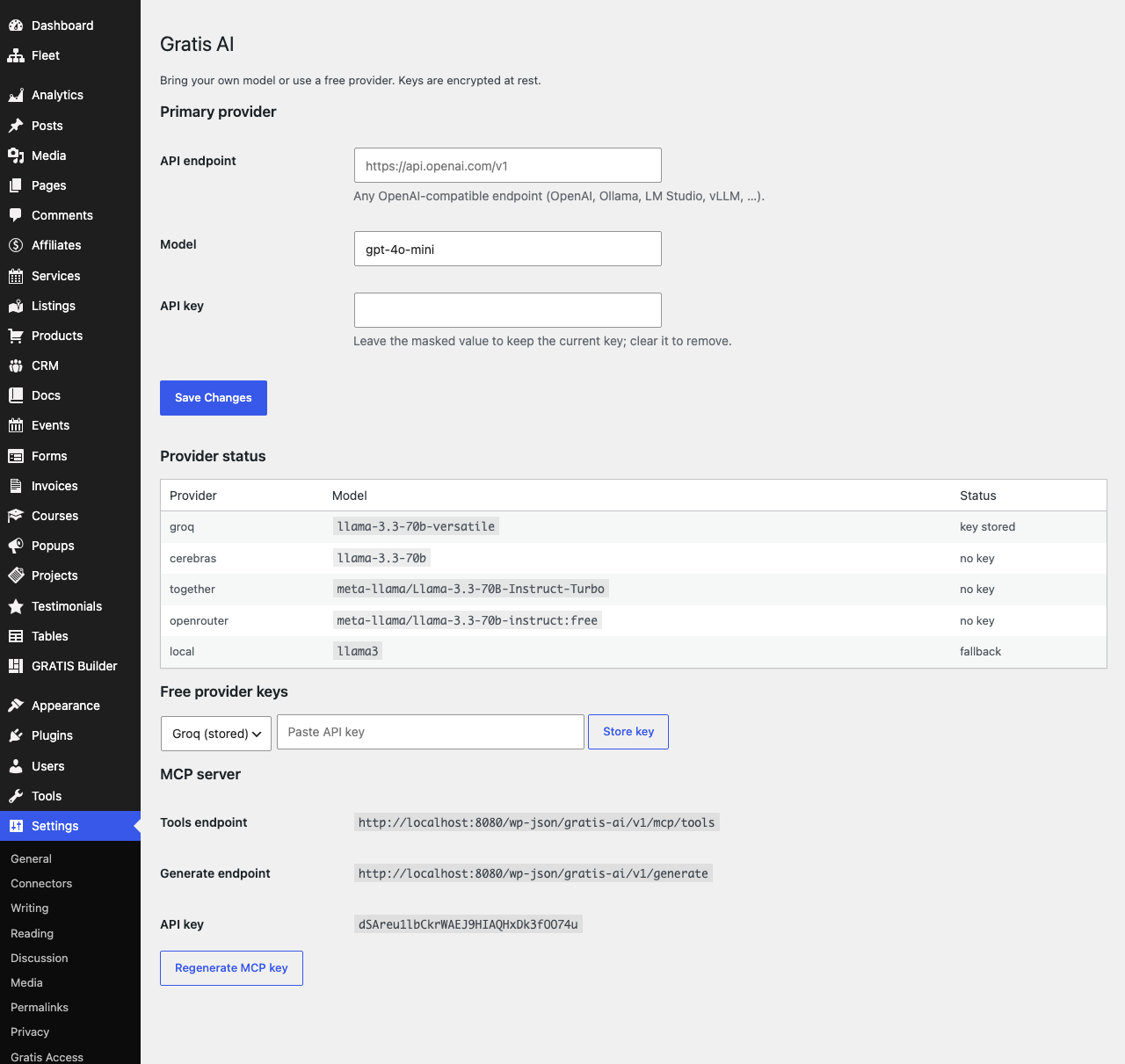
Primary provider
This is your preferred “bring your own model” provider, tried first for every request.
- API endpoint — the base URL of any OpenAI-compatible service, for example
https://api.openai.com/v1or a localOllama/LM Studioaddress. Leave blank to rely on the free providers below. - Model — the model name to request, such as
gpt-4o-mini(the default). Match this to a model your endpoint actually serves. - API key — the secret key for the endpoint. It is stored encrypted; the field shows a masked placeholder (
********) once a key is saved. Leave the mask in place to keep the current key, or clear it to remove the key.
Provider status
A read-only table lists each configured provider with its model and current availability, so you can confirm at a glance which backends are reachable before relying on AI features elsewhere in the suite.
Free provider keys
Instead of (or in addition to) your own endpoint, you can store keys for free hosted providers as fallbacks. Choose a provider, paste the key, and click Store key; the key is encrypted and providers that already hold a key are marked “(stored)”. Supported options are:
- Groq — stored under
groq_api_key. - Cerebras — stored under
cerebras_api_key. - Together.ai — stored under
together_api_key. - OpenRouter — stored under
openrouter_api_key.
MCP server
Gratis AI publishes a Model Context Protocol (MCP) server so external assistants can call your site. The screen shows the connection details:
- Tools endpoint —
/wp-json/gratis-ai/v1/mcp/tools, the MCP tools route. - Generate endpoint —
/wp-json/gratis-ai/v1/generate, the content-generation route. - API key — the access key for these endpoints. Click Regenerate MCP key to issue a fresh 32-character key and revoke the old one.
Recommended starting point
- If you have an OpenAI key, set the API endpoint, Model, and API key under Primary provider.
- If you prefer free tiers, store one or more Free provider keys (Groq, Cerebras, Together.ai, or OpenRouter).
- Check the Provider status table shows at least one available backend.
- Generate an MCP key only if an external tool needs to reach your site, and regenerate it if it is ever exposed.