Overview
Gratis Access adds membership-style content restriction to WordPress. You tag a post, page, course, or lesson with an access level — Free, Premium, or VIP — and the plugin automatically replaces the body of that content with a notice for anyone who is logged out or whose account sits below the required level. Levels are ranked (free = 0, premium = 1, vip = 2), so a VIP member can read everything a Premium member can.
Opening the settings screen
- In the WordPress admin sidebar, hover Settings.
- Click Gratis Access (URL:
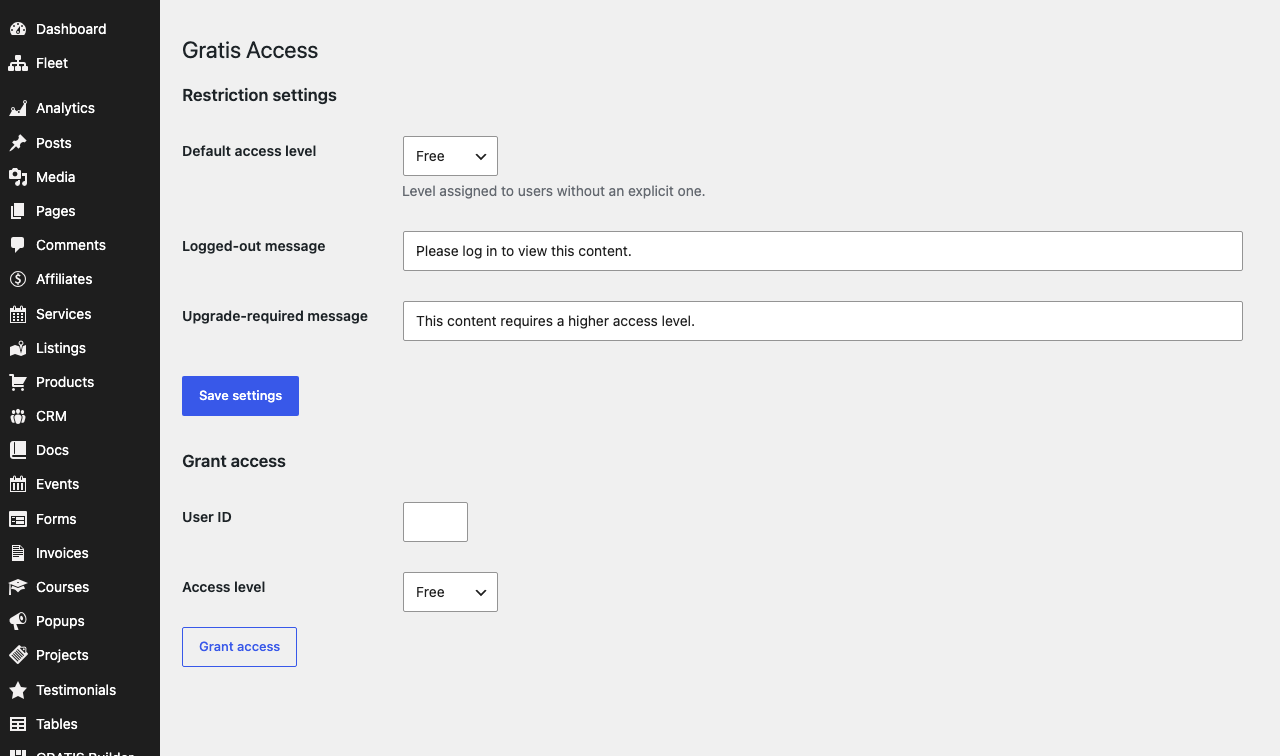
/wp-admin/options-general.php?page=gratis-access). - Adjust the fields below, then click Save settings.
Assigning access levels to content
The plugin registers an Access Levels taxonomy (access_level) on posts, pages, and — when Gratis Learn is active — gratis_course and gratis_lesson items. Three terms are created on activation:
- Free — the lowest tier; content tagged here is visible to any logged-in user (and is the baseline every account meets).
- Premium — requires an account set to
premiumor higher. - VIP — the highest tier; only
vipaccounts can read it.
To gate a piece of content, open it in the editor and assign one of these terms in the Access Levels panel. Content with no term assigned is never restricted.
Restriction settings
- Default access level — the level given to any logged-in user who has not been assigned one explicitly. Leave it at
Freeunless every member should start with more. - Logged-out message — the text shown in place of restricted content when the visitor is not signed in. The notice also includes a “Log in →” link back to the page.
- Upgrade-required message — the text shown to a signed-in user whose level is too low for the content they requested.
Granting access to a user
The Grant access tool on the same screen sets a single user’s level immediately, without editing their profile by hand. It writes the chosen level to the user’s _access_level meta.
- User ID — the numeric ID of the WordPress user to update (visible on the Users screen).
- Access level — the level to assign:
Free,Premium, orVIP.
How restriction is applied
On every singular post or page, Gratis Access compares the highest level required by the content’s terms against the visitor’s level. Logged-out visitors always see the Logged-out message; signed-in users below the threshold see the Upgrade-required message; everyone at or above the threshold sees the real content. Restriction runs only on the front end, so administrators editing in wp-admin always see the full text.
Recommended starting point
- Leave Default access level at
Freeso new members do not get paid content automatically. - Write a friendly Logged-out message and a clear Upgrade-required message that tells members how to upgrade.
- Tag one test post with
Premiumand preview it while logged out to confirm gating works. - Use Grant access to promote individual members, or set the level on their user profile.