Overview
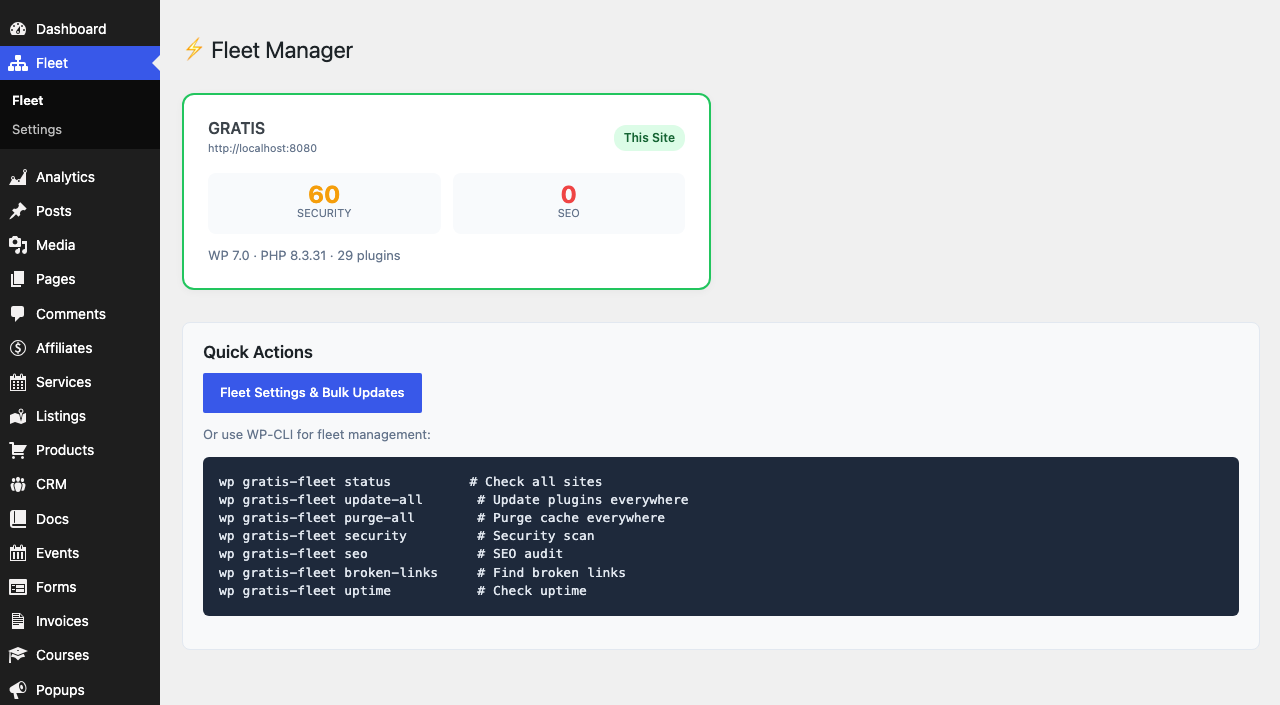
Gratis Fleet manages many WordPress installs from one dashboard. A “controller” site connects to any number of “worker” sites and can push plugin updates across the whole fleet in a single click. Each site exposes a secure worker API key so the controller can reach it, and the same site can act as both a controller and a worker.
Opening the settings screen
- In the WordPress admin sidebar, open the top-level Fleet menu (it opens the fleet dashboard).
- Click Settings (URL:
/wp-admin/admin.php?page=gratis-fleet-settings).
Bulk plugin updates
- Update plugins fleet-wide — runs all pending plugin updates on every connected site at once. The screen shows how many updates are pending on the current site, and after a run reports how many plugins were updated per site, including any errors.
Connected sites
The Connected sites table lists every worker the controller manages, showing each site’s label, URL and last-known status, with a Remove action. Use the Connect a site form to add one:
- Site URL — the full address of the remote WordPress site you want to manage, for example
https://client-site.com. - Worker API key — the key generated on that remote site. Run
wp gratis-fleet keythere, or copy it from the remote site’s own Fleet settings, then paste it here. - Label — an optional friendly name so you can recognise the site in the table.
This site as a worker
- Worker API key — a read-only key for this site. Give it to another Gratis Fleet controller so that controller can manage this site; click the field to select it for copying.
- Regenerate key — issues a brand-new key and invalidates the old one. Any controller still using the previous key will lose access until you share the new value.
Recommended starting point
- On each site you want to manage, copy its Worker API key from this screen.
- On your main (controller) site, use Connect a site to add each worker by URL, key and label.
- Run Update plugins fleet-wide whenever updates are pending to patch every site at once.
- Regenerate a worker key immediately if you suspect it has leaked.