Overview
Gratis Learn is a lightweight learning-management system. It adds courses, lessons and quizzes as content types, tracks each logged-in student’s lesson completion, and grades quizzes against a pass mark. A shortcode renders a course’s lesson outline with per-student progress.
Managing courses, lessons and quizzes
The plugin registers three content types, all reachable from the Courses menu:
- Courses — the top-level container, with its own public archive at
/courses/. - Lessons — the teaching units. In a lesson’s Lesson Settings box you pick the Course it belongs to and set its Order (a number that sequences lessons within the course).
- Quizzes — assessments managed under the same menu.
Opening the settings screen
- In the WordPress admin sidebar, open Courses.
- Click Settings (URL:
/wp-admin/edit.php?post_type=gratis_course&page=gratis-learn-settings). - Adjust the options below, then click Save settings.
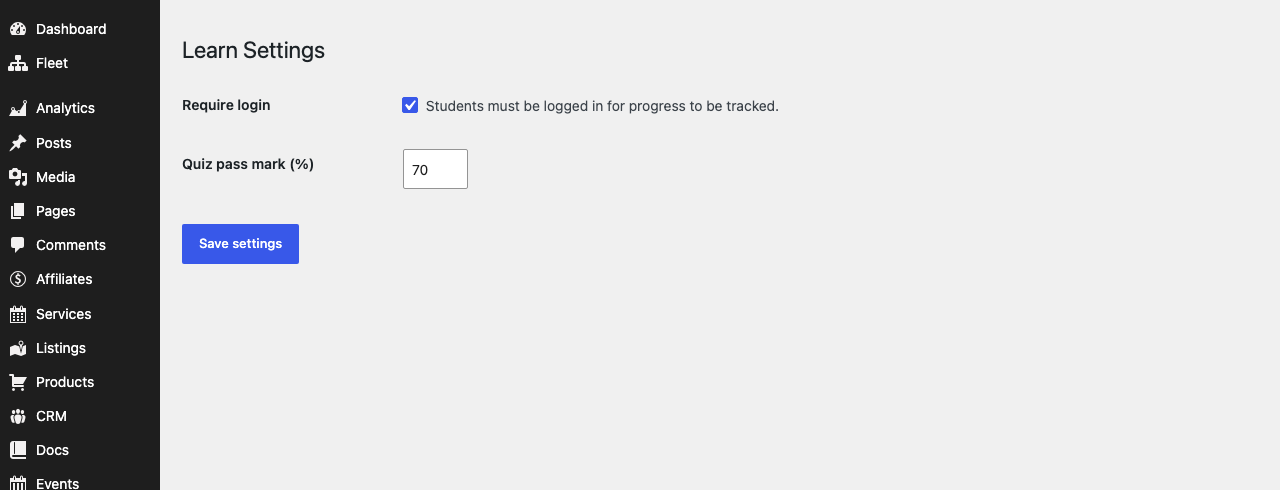
Access and grading
- Require login — when enabled, students must be logged in for their lesson progress to be tracked (progress is stored against the user account).
- Quiz pass mark (%) — the minimum score, from
0to100(default70), a student needs to pass a quiz.
Shortcodes
- Course outline —
renders an ordered list of a course’s lessons. For a logged-in student, completed lessons are marked with a check. On a single course page you can omit the ID to use the current course.is an alias.
Recommended starting point
- Create a course under Courses → Add New.
- Add lessons, assigning each to the course and giving it an Order.
- Keep Require login enabled so progress is saved per student.
- Show the outline on the course page with
.