Overview
Gratis Project is a lightweight project and task manager with Kanban-style boards. It adds Projects and Tasks as content types, groups tasks by status (To Do, In Progress, Review, Done), and lets you embed a read-only board on any page or post. It is a self-hosted alternative to Trello or Asana for small teams.
Managing projects and tasks
- Open Projects in the admin sidebar and use Add Project to create a project.
- Under the same menu open Tasks to add tasks; each task has a Task Details meta box for its project, assignee, priority and due date.
- Set each task’s Status (To Do, In Progress, Review, Done) using the Status taxonomy box — these become the board columns.
Opening the settings screen
- Go to Projects → Settings (URL:
/wp-admin/edit.php?post_type=gratis_project&page=gratis-project-settings). - Choose your default, then click Save settings.
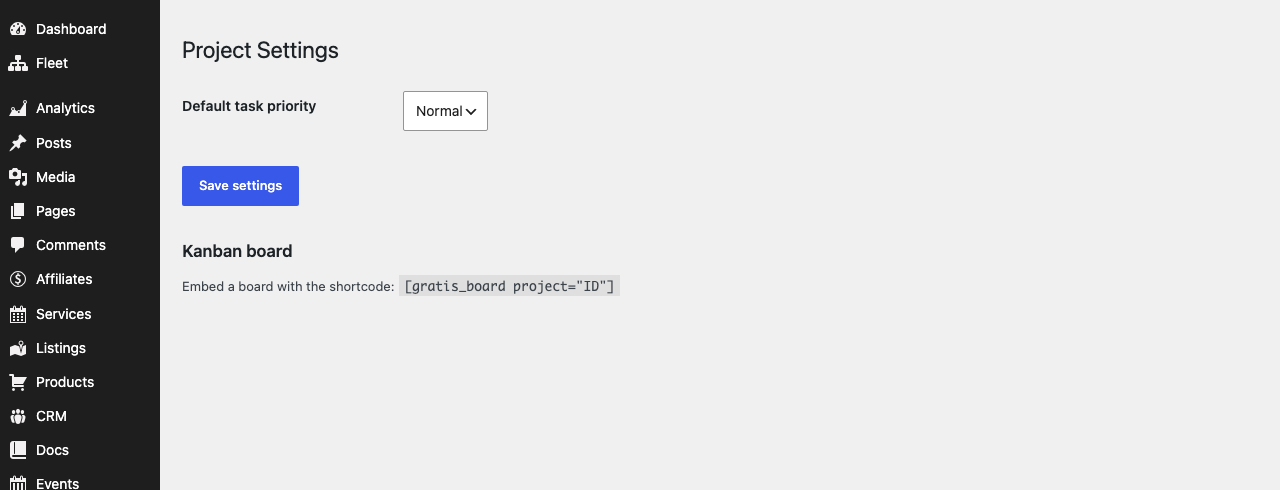
Settings
- Default task priority — the priority applied to new tasks before you change them. Choose from
low,normal,highorurgent(defaultnormal).
Task details
The Task Details meta box on each task stores the fields the board reads:
- Project — the project the task belongs to, so a board can be scoped to a single project.
- Assignee — the WordPress user responsible for the task.
- Priority — low, normal, high or urgent; shown as a label on the board card.
- Due date — the target completion date, shown on the card.
Kanban board shortcode
Embed a read-only board, grouped into status columns, on any page or post:
- Board —
To Do
LaunchNormalSEO auditNormalSet up cacheNormalIn Progress
Implement homepageHighDesign mockupsHighReview
No tasks.
Done
No tasks.
IDwith the project’s numeric ID; omit theprojectattribute to show tasks from every project.To Do
LaunchNormalSEO auditNormalSet up cacheNormalIn Progress
Implement homepageHighDesign mockupsHighReview
No tasks.
Done
No tasks.
Recommended starting point
- Create a project, then add a few tasks and set each task’s Status so the columns fill in.
- Set the Default task priority to match how your team works.
- Add
To Do
LaunchNormalSEO auditNormalSet up cacheNormalIn Progress
Implement homepageHighDesign mockupsHighReview
No tasks.
Done
No tasks.