Overview
Gratis Installer is the control panel for the whole Gratis suite. It lists every Gratis plugin on one screen, grouped by purpose, shows whether each one is active, installed but inactive, or not installed, and lets you activate an installed plugin with a single click. It manages no settings of its own — it is purely an overview and activation tool.
Opening the suite overview screen
- In the WordPress admin sidebar, hover Plugins.
- Click ⚡ Gratis Suite (URL:
/wp-admin/plugins.php?page=gratis-installer).
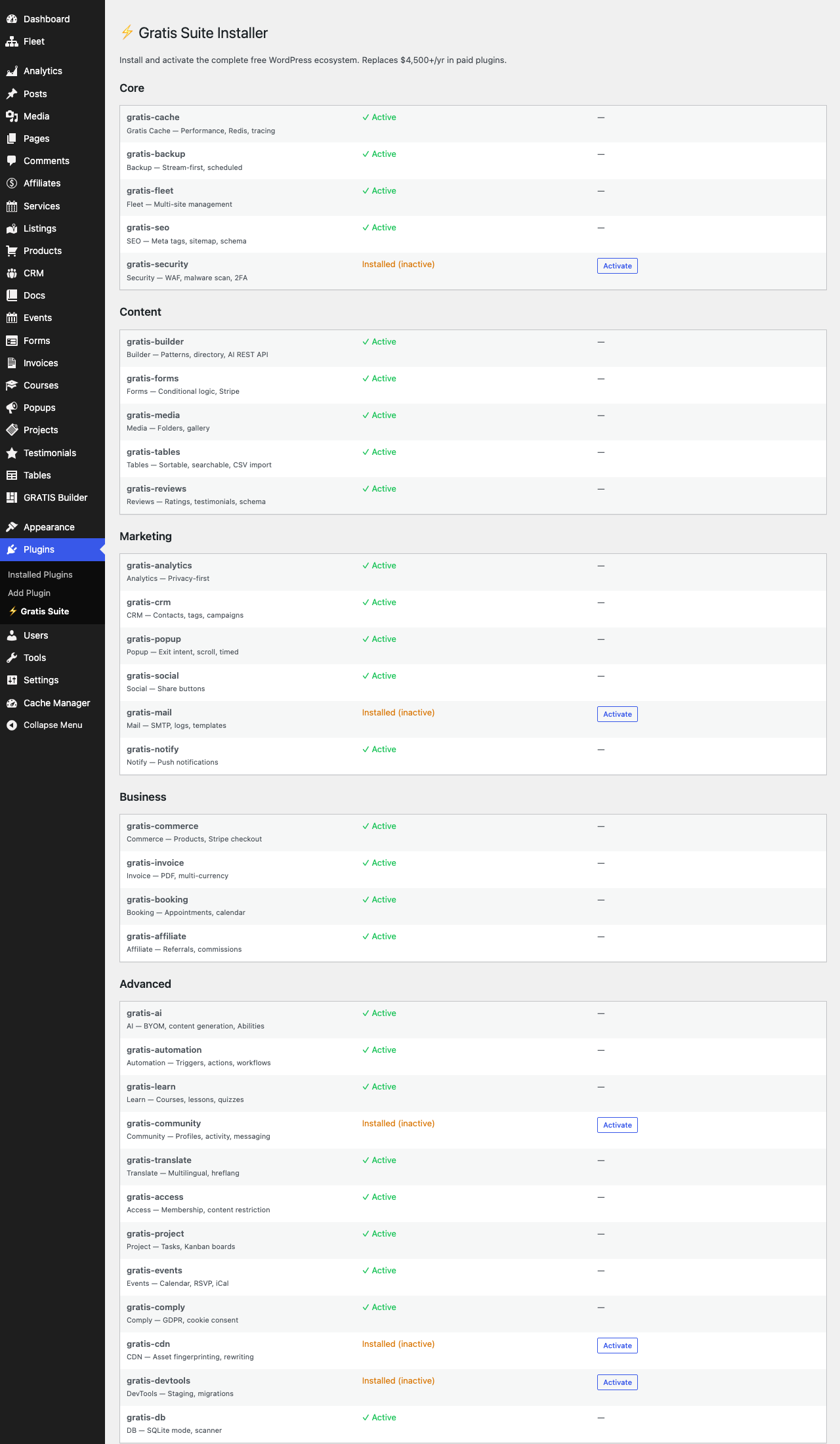
How the suite is organised
Plugins are grouped into five categories so you can find related tools quickly:
- Core — foundational tools: Cache, Backup, Fleet, SEO and Security.
- Content — building and presenting content: Builder, Forms, Media, Tables and Reviews.
- Marketing — audience and outreach: Analytics, CRM, Popup, Social, Mail and Notify.
- Business — selling and billing: Commerce, Invoice, Booking and Affiliate.
- Advanced — specialised add-ons: AI, Automation, Learn, Community, Translate, Access, Project, Events, Comply, CDN, DevTools and DB.
Plugin status and activation
Each row shows the plugin name, a short description, and its current state:
- ✓ Active — the plugin is installed and running; no action needed.
- Installed (inactive) — the plugin’s files are present but it is switched off. An Activate button appears; click it to turn the plugin on.
- Not installed — the plugin’s files are not on this site yet, so there is nothing to activate from here.
Installing via WP-CLI
- Check status —
wp gratis-install statusreports how many suite plugins are installed and active. - Activate everything —
wp gratis-install activateactivates every installed Gratis plugin; add--category=core(orcontent,marketing,business,advanced) to limit it to one group.
Recommended starting point
- Open Plugins → ⚡ Gratis Suite to see what is installed.
- Activate the Core plugins first, then add others as you need them.
- On servers with terminal access, run
wp gratis-install activate --category=coreto switch on a whole group at once.