Overview
Gratis SEO adds the search-engine and social-sharing metadata that themes leave out: a configurable title format, meta descriptions, Open Graph and Twitter/X cards, JSON-LD structured data, breadcrumbs, and an XML sitemap. Everything is configured from a single screen, and every field has a sensible fallback so the plugin works immediately after activation.
Opening the settings screen
- In the WordPress admin sidebar, hover Settings.
- Click Gratis SEO (URL:
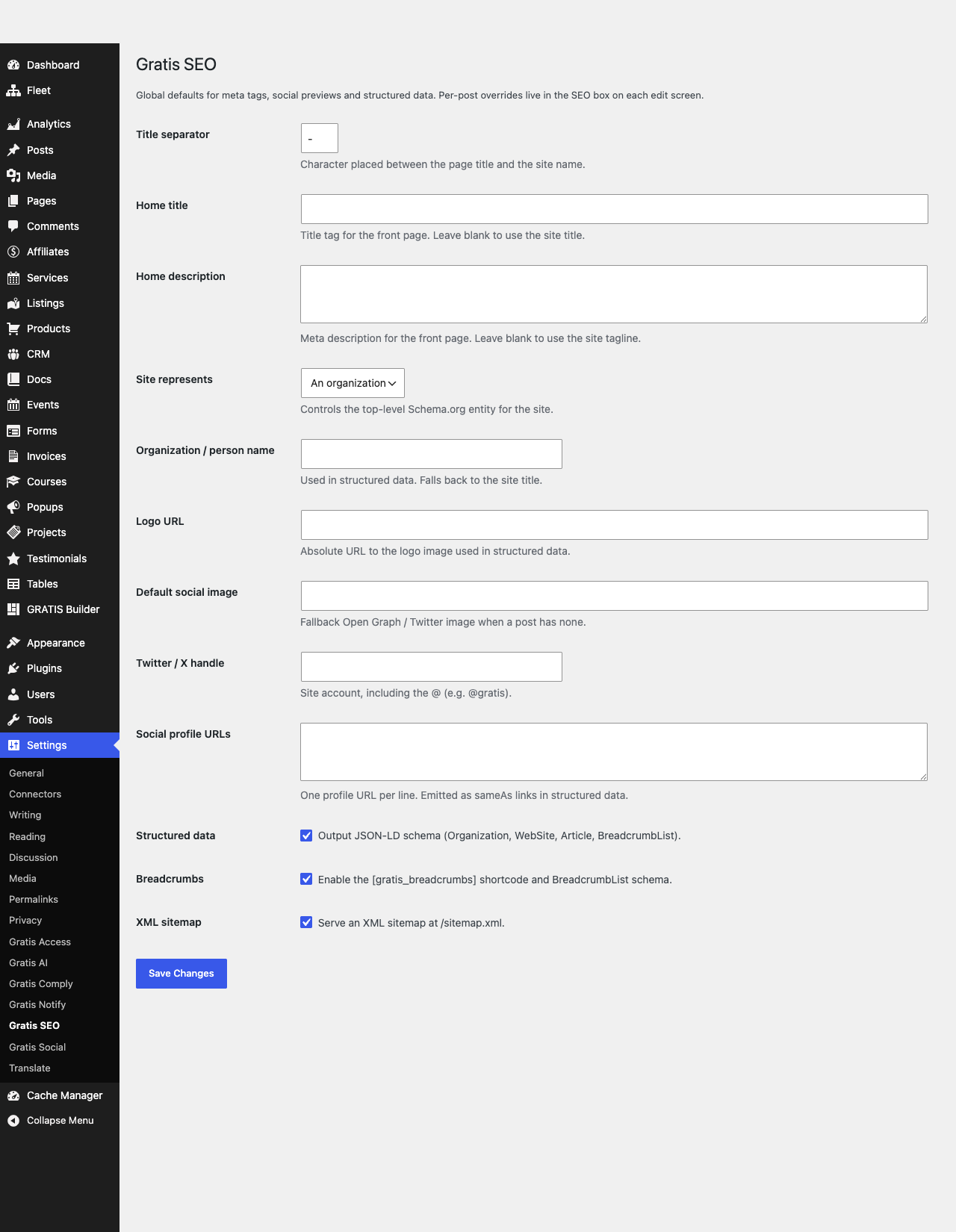
/wp-admin/options-general.php?page=gratis-seo). - Fill in the fields below, then click Save Changes at the bottom of the screen.
Title and description
- Title separator — the character placed between the page title and the site name in the browser tab and search results (for example
Page Title - Site Name). Common choices are a dash, a pipe, or a middot. - Home title — the title tag for the front page. Leave blank to use the WordPress site title.
- Home description — the meta description for the front page (the grey text under your result on Google). Leave blank to use the site tagline. Aim for 120-160 characters.
Structured data identity
- Site represents — choose whether the site is an Organization or a Person. This controls the top-level Schema.org entity emitted in JSON-LD, which search engines use for knowledge panels.
- Organization / person name — the name used in structured data. Falls back to the site title if left blank.
- Logo URL — an absolute URL to your logo image, used in structured data (recommended: square, at least 112x112px).
Social sharing (Open Graph and Twitter/X)
- Default social image — the fallback Open Graph / Twitter image shown when a post has no featured image. Recommended size 1200x630px.
- Twitter / X handle — your site account including the @ (for example
@gratis). Used in thetwitter:sitecard tag. - Social profile URLs — one profile URL per line. These are emitted as
sameAslinks in structured data so search engines can connect your site to its social accounts.
Feature toggles
- Structured data — enable to output JSON-LD schema for the organization/person, articles, and breadcrumbs. Leave on unless another SEO plugin already provides it.
- Breadcrumbs — enable to register breadcrumb output and the matching BreadcrumbList structured data.
- XML sitemap — enable to publish a sitemap at
/sitemap.xmlfor search engines. Disable only if you generate a sitemap elsewhere.
Recommended starting point
- Set Title separator and a concise Home description.
- Pick Site represents, set the name and Logo URL.
- Add a Default social image and your Twitter/X handle.
- Leave Structured data, Breadcrumbs, and XML sitemap enabled.
- Click Save Changes, then verify with a Twitter/X card validator and Google’s Rich Results test.